
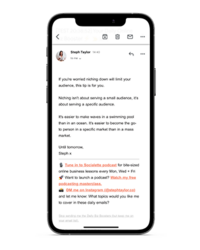
Bite-sized lessons in building an online business that feels good.
Imperfect Action Podcast

The Digital Product Kickstart Kit: Your guide to creating and launching a digital product that sells.
Free Download
I help online entrepreneurs (like YOU!) launch and relaunch digital products and podcasts to reach more people, grow their audience and become the go-to geniuses in their industry
Hi, I'm Steph

How to Build an Email List on Kajabi (Step-by-Step Tutorial)
January 16, 2026
Updated January 2026 with latest features and strategies.
Bottom Line: Building an email list on Kajabi is ridiculously straightforward because everything's in one place—no duct-taping together five different tools. Create a lead magnet, build a landing page with Kajabi's templates, set up your automated email sequence, and watch subscribers roll in. The best part? You're not paying separately for email marketing software. After 7+ years using Kajabi, I've grown my list to thousands of engaged subscribers without touching ConvertKit, Mailchimp, or any other email platform.
🎉 Ready to build your email list the easy way?
Get a 30-day free trial of Kajabi
Extended from the usual 14 days—no credit card required to start exploring.
📋 What's in this guide:
- Why Email Marketing Matters (Even in 2026)
- Kajabi Email Marketing vs. Other Platforms
- Step 1: Set Up Your Lead Magnet
- Step 2: Create Your Landing Page
- Step 3: Create Your Delivery Email Sequence
- Step 4: Set Up Your Email List Segments
- Step 5: Drive Traffic to Your Landing Page
- Step 6: Nurture Your Email List
- Advanced Email Marketing Automation
- Common Mistakes to Avoid
- Frequently Asked Questions
- Final Thoughts
Why Email Marketing Still Matters in 2026
Picture this: You've spent hours creating the most brilliant Instagram reel. It gets 10,000 views, 500 likes, and you're feeling pretty chuffed. Then Instagram changes its algorithm overnight, and suddenly your next post reaches 47 people. Forty. Seven.
Sound familiar? That's the problem with building your business on rented land.
Here's the honest truth: email is the only marketing channel you actually own. Instagram, TikTok, Facebook—they can all disappear tomorrow, change their rules, or shadowban you for reasons known only to the algorithm gods. But your email list? That's yours. Forever.
After 7+ years running an online business (and 800+ episodes of my Imperfect Action podcast), I've watched countless social media platforms rise and fall. But email? It's still the most reliable way to reach your audience and make sales.
The numbers don't lie:
- Email marketing has an average ROI of $36-42 for every $1 spent
- You're 6x more likely to get a click from an email than from a tweet
- Email subscribers are 3x more likely to share your content on social media
- Email drives more conversions than any other marketing channel
When I took my year-long sabbatical van trip around Australia, my email list kept my business running on autopilot. Automated email sequences continued nurturing subscribers, selling courses, and bringing in revenue—even when I was off-grid in the middle of the outback with zero phone signal.
That's the power of email marketing. And Kajabi makes it dead simple.
🚀 Ready to Build Your Email Empire?
Get started with Kajabi's all-in-one platform—email marketing, landing pages, and automation included.
No credit card required
Kajabi Email Marketing vs. Other Platforms
Look, I've used them all. ConvertKit, ActiveCampaign, Mailchimp, Flodesk—you name it, I've probably sent an email from it. But here's why I switched everything to Kajabi and never looked back:
| Platform | Monthly Cost | Landing Pages? | Course Hosting? | Automation? |
|---|---|---|---|---|
| Kajabi ⭐ | $149+ | ✅ Included | ✅ Included | ✅ Advanced |
| ConvertKit | $29-$159+ | ✅ Basic | ❌ No | ✅ Good |
| ActiveCampaign | $29-$259+ | ❌ Limited | ❌ No | ✅ Advanced |
| Mailchimp | $20-$350+ | ❌ Limited | ❌ No | ⚠️ Basic |
| Flodesk | $38 | ✅ Beautiful | ❌ No | ⚠️ Limited |
Here's the thing: Sure, you could use ConvertKit for $159/month and still need separate tools for landing pages ($37/mo for Leadpages), course hosting ($99/mo for Teachable), and payment processing. Or you could use Kajabi at $149/month and have it all in one place.
When I switched my 10,000+ subscriber list from ActiveCampaign to Kajabi, I saved over $500 per month. That's a lot of avocado toast, my friend.
What makes Kajabi different?
- Everything talks to each other: Your landing page connects to your email list, which connects to your course, which connects to your checkout page. No Zapier required.
- Built-in analytics: See exactly which emails drive the most sales, not just open rates.
- No per-subscriber pricing: Unlike ConvertKit or ActiveCampaign, Kajabi doesn't charge more as your list grows (within your plan limits).
- Professional templates: Landing pages and email templates that actually convert, not generic designs from 2010.
Want to see how Kajabi compares to other platforms in more detail? Check out my comprehensive Kajabi review or read my Kajabi vs Teachable vs Thinkific comparison.
Step 1: Set Up Your Lead Magnet
Right, let's get into the actual how-to. First things first: you need something valuable to give away in exchange for email addresses.
This is called a “lead magnet” (I know, marketing jargon is the worst). Think of it as a little gift that introduces people to your world.
What Makes a Good Lead Magnet?
Not all freebies are created equal. Your lead magnet should be:
- Specific and focused: Solve ONE problem really well, not ten problems poorly
- Quick to consume: Something they can finish in 5-30 minutes (people are busy!)
- Immediately useful: They should get a quick win straight away
- Related to your paid offers: If you sell courses on email marketing, don't give away a checklist about Instagram
Lead Magnet Ideas That Actually Work:
- PDF guides or checklists: “The 10-Minute Website Audit Checklist”
- Templates or worksheets: “Email Sequence Template for Course Creators”
- Mini courses: “5-Day Instagram Content Challenge” delivered via email
- Resource libraries: Collection of your best tools, scripts, or templates
- Quizzes or assessments: “What's Your Business Personality Type?”
- Video trainings: 20-minute workshop on a specific topic
Pro tip: Create your lead magnet as a Kajabi “Mini Course” product. This lets you deliver content over multiple days (keeping you top-of-mind) and track exactly who's engaging with your material.
How to Create a Lead Magnet in Kajabi:
- Go to Products → Get Started
- Choose Mini Course as your product type
- Give it a clear name (this is what subscribers see when they sign up)
- Create your content—upload PDFs, add video lessons, or write text content
- Set it to Free under Pricing settings
- Enable Immediate Access so people get in straight away
Holy guacamole, that was easy, right?
Step 2: Create Your Landing Page
Alright, you've got your lead magnet. Now you need a landing page where people can actually sign up for it.
A landing page is a standalone page with one job: collect email addresses. No navigation menu, no distractions—just a compelling offer and a sign-up form.
Landing Page Essentials:
Your landing page needs these elements to convert visitors into subscribers:
- Clear headline: What are they getting? Make it benefit-focused.
- Subheadline: Expand on the main benefit or overcome an objection
- Bullet points: List 3-5 specific things they'll learn or get
- Opt-in form: Keep it simple—usually just first name and email
- Call to action: “Get Instant Access” works better than boring old “Submit”
- Social proof (optional): Testimonials, subscriber count, or logos
- Image or mockup: Show what they're getting visually
How to Create a Landing Page in Kajabi:
- Go to Website → Landing Pages → New Landing Page
- Choose a template (Kajabi has dozens of pre-designed templates)
- Customise the template with your headline, copy, and images
- Connect your lead magnet under Form Settings → Form Submissions
- Set up what happens after they opt in (usually: grant access to your mini course + trigger an email sequence)
- Customise your URL slug (e.g., stephtaylor.co/free-guide)
- Preview on mobile and desktop to make sure it looks good
- Hit Publish
Landing Page Copy Template:
Stuck on what to write? Here's a simple formula that works:
Headline: [Desired Result] Without [Common Struggle]
Example: “Build Your Email List Without Spending Hours on Social Media”Subheadline: Get my [specific lead magnet] and discover how to [benefit]
Example: “Get my Email List Building Checklist and discover how to grow your audience on autopilot”Bullet points: Inside, you'll learn…
• [Specific benefit #1]
• [Specific benefit #2]
• [Specific benefit #3]CTA: Yes! Send Me The [Lead Magnet]
Landing page mistake to avoid: Don't ask for too much information. First name and email is plenty. Every extra field you add reduces conversions by 10-20%.
📧 Build Your First Landing Page in Minutes
Kajabi's drag-and-drop builder + professional templates = landing pages that convert (without hiring a designer).
Step 3: Create Your Delivery Email Sequence
Congratulations! Someone just signed up for your lead magnet. Now what?
You need an automated email sequence that delivers your freebie and starts building a relationship with your new subscriber. This is where the magic happens—and where most people drop the ball.
Your Welcome Email Sequence Should Include:
Email #1: Immediate Delivery (sent instantly)
- Warm welcome and thank you
- Deliver the promised lead magnet (link or access)
- Set expectations for future emails
- Add a quick PS with your best content or social media links
Email #2: Value Bomb (sent 1-2 days later)
- Share your best content related to the lead magnet topic
- Link to a helpful blog post, podcast episode, or video
- Start building trust and authority
Email #3: Story + More Value (sent 2-3 days later)
- Share a personal story related to your expertise
- Provide another valuable tip or resource
- Make it feel like a friend catching up, not a marketing email
Email #4: Gentle Introduction to Paid Offers (sent 4-5 days later)
- Mention your paid products naturally (not pushy)
- Focus on the transformation they provide
- Make it clear there's no pressure—you're here to help either way
How to Create an Email Sequence in Kajabi:
- Go to Marketing → Automation → Sequences
- Click New Sequence
- Name it (e.g., “Lead Magnet Welcome Sequence”)
- Add your first email: Add Email → New Post
- Write your subject line and email content
- Set the delay (first email = 0 days, second = 1 day, etc.)
- Repeat for each email in your sequence
- Activate the sequence
Email Sequence Automation:
Here's the clever bit—you connect this sequence to your landing page so it fires automatically:
- Go back to your landing page settings
- Under Form Submissions → Actions
- Select Add to Sequence and choose your welcome sequence
- Save and celebrate—your email marketing is now on autopilot!
Real talk: This automated sequence has made me thousands of dollars in my sleep. When someone joins my list at 2am (thanks, international time zones!), they instantly get my welcome email, get added to my nurture sequence, and eventually see my course offers—without me lifting a finger.
Step 4: Set Up Your Email List Segments
Not all subscribers are created equal. Some people love your podcast content, others downloaded your social media templates, and some have already bought from you.
Segments let you group subscribers based on their interests, behaviour, or purchase history—so you can send more relevant emails instead of blasting everyone with the same message.
Useful Segments to Create:
- By interest: People who downloaded specific lead magnets
- By engagement: Active subscribers vs. inactive subscribers
- By purchase history: Customers vs. non-customers
- By product interest: People who visited specific sales pages
- By location: If you run location-specific offers or events
How to Create Segments in Kajabi:
- Go to People → Segments
- Click Create Segment
- Name your segment (e.g., “Downloaded Email Templates”)
- Set your conditions (e.g., “Offer: Email Templates Lead Magnet” and “Status: Active”)
- Save your segment
Now when you send an email broadcast, you can choose to send only to specific segments. Mind-blowing, right?
Why this matters: If someone downloaded your Instagram templates, they're probably not interested in your podcast equipment guide. Sending targeted emails = higher open rates, better engagement, and more sales.
Step 5: Drive Traffic to Your Landing Page
Right, you've built it. But will they come?
Having a brilliant landing page means nothing if nobody sees it. Here's how to actually get traffic to your opt-in page (without spending your life savings on Facebook ads).
Free Traffic Strategies:
1. Social Media (The Consistent Approach)
- Share your lead magnet link in your Instagram/TikTok/Facebook bio
- Create content that teases your freebie (e.g., “3 mistakes people make with email marketing—get my full checklist in bio”)
- Pin it to the top of your social profiles
- Add it to your Instagram Stories highlights
2. Content Marketing (The Long Game)
- Write blog posts that naturally lead to your lead magnet
- Add opt-in forms throughout your blog content
- Create YouTube videos that link to your landing page
- Guest post on other blogs and include your lead magnet in your bio
3. Podcast (My Favourite)
- Mention your lead magnet at the end of every episode
- Create podcast episodes specifically designed to lead to your freebie
- Add it to your podcast show notes
I've grown my email list to thousands of subscribers primarily through my Imperfect Action podcast (1.9M+ downloads). Every episode naturally leads people to my freebies, and from there, they join my email list.
4. Cross-Promotion (The Smart Way)
- Partner with complementary businesses for newsletter swaps
- Appear on other people's podcasts and offer your lead magnet
- Join online communities and genuinely help people (link to your freebie when relevant)
Paid Traffic Strategies:
Once you've validated that your lead magnet converts, you can amplify with paid ads:
- Facebook/Instagram ads: Start with $5-10/day targeting your ideal audience
- Pinterest ads: Often cheaper than Facebook, great for B2C
- Google ads: Target people searching for solutions you provide
- Sponsored newsletters: Get featured in established newsletters in your niche
Important note: Don't spend money on ads until you've tested your funnel with free traffic first. Make sure your landing page converts and your email sequence works before throwing money at it.
🎯 Track Your Traffic Sources Like a Pro
Kajabi's built-in analytics show you exactly which traffic sources bring in the most subscribers—so you know where to focus your energy.
Step 6: Nurture Your Email List (The Ongoing Work)
Building an email list isn't a one-and-done thing. The real magic happens in the ongoing relationship you build with your subscribers.
Here's what separates the email marketers who make bank from those who wonder why nobody opens their emails…
Email Consistently (But Not Annoyingly)
Pick a frequency and stick to it. Options include:
- Weekly: My preference. Keeps you top-of-mind without being spammy.
- Twice weekly: If you have tons of great content to share
- Monthly: Bare minimum. Any less and people forget who you are.
The golden rule: Whatever you choose, be consistent. Your subscribers should know when to expect you.
What to Email Your List:
Stop overthinking this. Your emails should be:
- Valuable: Teach something, share a tip, solve a problem
- Personal: Write like you're emailing a friend, not a corporate announcement
- Conversational: Ask questions, tell stories, show your personality
- Action-focused: Every email should have a clear next step
Email Ideas That Actually Work:
- Share your latest blog post, podcast episode, or video
- Tell a personal story that relates to your niche
- Answer a common question from your audience
- Share behind-the-scenes of your business
- Curate the best resources you've found recently
- Do a Q&A based on subscriber questions
- Share a mistake you made and what you learned
Here's what I do: Every week, I send my list a valuable email that usually links to my latest podcast episode. But here's the key—I don't just say “new episode is out.” I share the main takeaway, tell a story, and make it genuinely useful even if they never click through.
How to Send Email Broadcasts in Kajabi:
- Go to Marketing → Emails → Broadcasts
- Click New Post
- Write your subject line (keep it under 60 characters for mobile)
- Write your email content
- Choose your recipient list or segment
- Preview and test (always send yourself a test email first!)
- Schedule or send immediately
Track Your Email Metrics:
Kajabi automatically tracks:
- Open rate: How many people opened your email (aim for 20-40%)
- Click rate: How many clicked your links (aim for 2-5%)
- Unsubscribe rate: Should be under 0.5%
- Revenue: Which emails actually make money
Don't obsess over these numbers, but do pay attention to trends. If your open rates suddenly tank, try different subject lines. If nobody's clicking, make your CTAs clearer.
Advanced Email Marketing Automation
Once you've got the basics down, it's time to get fancy with automation. This is where Kajabi really shines.
Powerful Automations to Set Up:
1. Abandoned Cart Sequence
Someone visits your sales page but doesn't buy? Automatically send them a reminder email 24 hours later. I've recovered thousands in sales with this simple automation.
2. Product Purchase Sequences
After someone buys, automatically send them onboarding emails, helpful resources, and check-ins. This increases course completion and sets you up for future sales.
3. Re-engagement Campaign
Automatically tag inactive subscribers (haven't opened in 90 days) and send them a win-back sequence. Either they re-engage or you clean your list—both good outcomes.
4. Webinar Funnel
Set up an entire webinar funnel that runs on autopilot—registration page, reminder emails, replay sequence, and offer emails. This is how I generated $30,000+ during my van trip.
5. Birthday/Anniversary Emails
Collect birthdays and automatically send a special offer or gift. People love personalised touches.
How to Create Advanced Automations:
- Go to Marketing → Automation → Pipelines
- Click New Pipeline
- Choose your trigger (e.g., “Visited sales page but didn't buy”)
- Add conditions and actions (e.g., “Wait 24 hours, then send email”)
- Build out your automation flow visually
- Test thoroughly before activating
Pro tip: Start simple. Get your basic welcome sequence working first, then layer in more advanced automations over time. Trying to build everything at once is overwhelming and usually leads to mistakes.
Common Email Marketing Mistakes to Avoid
After 7+ years of email marketing (and making every mistake possible), here are the big ones to avoid:
❌ Mistake #1: Buying Email Lists
Holy guacamole, please don't do this. It's against the law in many countries, violates Kajabi's terms of service, and destroys your sender reputation. Only email people who explicitly opted in to YOUR list.
❌ Mistake #2: Neglecting Your List
Don't spend months building your list and then disappear. Radio silence makes people forget who you are and why they signed up. Email consistently, even if it's just once a month.
❌ Mistake #3: Only Emailing When You're Selling
Your subscribers aren't ATMs. If you only email during launches, they'll tune out. Aim for 80% value, 20% promotion. Build trust first, sell second.
❌ Mistake #4: Terrible Subject Lines
Your subject line is the only thing between your email and the trash folder. Avoid clickbait, but do make it compelling. Ask questions, create curiosity, be specific.
❌ Mistake #5: No Clear Call to Action
Every email needs a purpose. What do you want them to do? Read your blog post? Buy your course? Reply with questions? Make it crystal clear.
❌ Mistake #6: Writing Like a Robot
Your emails should sound like you. Use contractions. Be conversational. Tell stories. Show personality. Would you say “We are pleased to announce…” to your best mate? No? Then don't write it in your email.
❌ Mistake #7: Not Testing Your Emails
Always send yourself a test email before hitting send to your whole list. Check links, formatting, images, and grammar. Nothing kills credibility faster than broken links or typos in the subject line.
❌ Mistake #8: Ignoring Mobile
Over 60% of emails are opened on mobile. If your email looks like garbage on a phone, you're losing more than half your audience. Keep paragraphs short, use plenty of white space, and make buttons big enough to tap.
✨ Build Your Email List the Right Way
Stop piecing together multiple tools and start using an all-in-one platform that actually works.
Everything you need: landing pages, email marketing, automation, and course hosting
Frequently Asked Questions
Can you send emails from Kajabi?
Yes! Kajabi has built-in email marketing tools that let you send broadcasts, create automated sequences, segment your list, and track performance—all from one platform. You don't need third-party email software like ConvertKit or Mailchimp.
How much does Kajabi email marketing cost?
Email marketing is included in all Kajabi plans at no extra cost. Plans start at $69/month (Kickstarter with 250 contacts) up to $399/month (Pro with 100,000 contacts). Unlike platforms that charge per subscriber, Kajabi's pricing is fixed. If you need more contacts, you just upgrade your plan—no surprise bills when your list grows.
Is Kajabi better than ConvertKit for email?
Kajabi is better if you want an all-in-one solution with courses, email, and funnels in one place. ConvertKit is better if you only need email marketing and already have other tools for hosting courses. For most course creators, Kajabi saves money overall by replacing multiple subscriptions. I personally switched from ActiveCampaign to Kajabi and saved $500+/month.
Can I import my existing email list into Kajabi?
Yes! You can import your existing email list via CSV upload. Kajabi will automatically clean duplicates and invalid emails. Just make sure your subscribers gave permission to be on your list—buying lists or importing scraped emails is against Kajabi's terms of service and will get your account suspended.
Does Kajabi have email templates?
Yes, Kajabi includes professional email templates you can customise. However, many users (myself included) prefer to write plain-text style emails because they feel more personal and often get better engagement. Fancy HTML templates can sometimes look too “marketing-y” and end up in spam folders.
What's a good email list size to start with?
You can make money with any size list. I've seen people make $10,000 with 500 subscribers and others with 50,000 subscribers making nothing. Quality matters more than quantity. Focus on building an engaged list of people who actually want to hear from you, not chasing vanity metrics.
How often should I email my list?
At minimum, once a month. Ideally, once a week. Pick a frequency you can maintain consistently. I email my list weekly with valuable content, and it keeps me top-of-mind without annoying people. The key is consistency—if you say you'll email weekly, actually email weekly.
Do I need a big following to start building an email list?
Nope! In fact, you should start building your email list from day one of your business. Even if you only have 50 followers on Instagram, those 50 people can join your email list. Your email list is the only audience you truly own, so start building it now.
Does Kajabi have landing page templates?
Yes! Kajabi includes dozens of high-converting landing page templates for lead magnets, webinars, sales pages, and more. All templates are mobile-responsive and customisable with drag-and-drop editing. You can preview all templates before choosing one, and switch templates later if you want to try something different.
Can I A/B test my landing pages and emails in Kajabi?
Kajabi doesn't have built-in A/B testing (unlike some specialised email platforms). However, you can manually test by creating two versions and sending each to a segment of your list, then checking the analytics to see which performed better. Not as automated, but it works.
What happens if I exceed my contact limit?
Kajabi will send you a notification when you're approaching your limit. You'll need to upgrade to the next plan tier or remove inactive subscribers. Unlike some platforms, Kajabi won't suddenly charge you overage fees or stop your emails—you'll have time to decide what to do.
Can I tag subscribers in Kajabi?
Yes! Kajabi uses both tags and segments. You can manually add tags to subscribers or automatically add them based on actions (e.g., “Downloaded lead magnet A” or “Purchased Course B”). Tags make it easy to send targeted emails to specific groups.
Final Thoughts: Building Your Email List on Kajabi
Right, let's wrap this up.
Building an email list on Kajabi isn't rocket science—but it does require consistent effort and a willingness to show up for your people.
Here's what makes Kajabi brilliant for email marketing:
- Everything's in one place (no tech nightmare)
- Email marketing is included (saves hundreds per month)
- Landing pages are actually good (not awkward website builder attempts)
- Automation is powerful without being overwhelming
- It scales with you from 10 subscribers to 100,000+
Is it perfect? No. Some specialised email platforms have fancier features. But after 7+ years using Kajabi to build and nurture my email list, I can confidently say it's the best all-in-one solution for course creators and digital entrepreneurs.
My honest recommendation: If you're serious about building an online business (not just dabbling), Kajabi is worth the investment. The time and money you'll save by having everything integrated more than pays for the monthly cost.
When I took my year-long sabbatical van trip around Australia, my Kajabi-powered email list kept my business running smoothly. Automated sequences nurtured new subscribers, welcome emails delivered lead magnets, and evergreen funnels generated sales—all while I was off-grid in the outback.
That's the power of setting up your email marketing properly. Do the work once, benefit forever.
Ready to build your email list the right way?
🎉 Get started with Kajabi's 30-day free trial
Test drive the entire platform—email marketing, landing pages, automation, course hosting, and everything else. No credit card required to start exploring.
And if you want to dive deeper into how Kajabi compares to other platforms, check out my full Kajabi review or my comparison of Kajabi vs Teachable vs Thinkific.
Now get out there and start building that list. Your future self (and your bank account) will thank you.
Disclosure: This post contains affiliate links, which means I may earn a commission if you sign up for Kajabi through my link (at no extra cost to you). I only recommend products I've personally used for years and genuinely believe in. I've been a Kajabi customer since 2018 and have used it to build my entire online business. My opinions are my own—7+ years of them, to be exact. Your success with email marketing depends on your strategy, consistency, and content quality, not just the platform you use.



Hot and fresh out the kitchen

Heads up … Creating your winning digital product needn’t be a series of unfortunate events. Skip the stress and scoop up your FREE step-by-step framework for creating your next digital product.
Free Workbook: The Digital Product Kickstart Kit
Wait, before you go, don’t forget to scoop up …
I help online entrepreneurs (like you!) to build a profitable online business that keeps growing even when they're offline.
Hey, I'm Steph - your online business strategist